




It can be frustrating when a Hisense TV powers on for a few seconds and then shuts down unexpectedly. This issue interrupts viewing, causes worry about potential damage, and leaves many wondering about the root cause.
While the problem may seem complex, it often relates to power supply issues, software glitches, or faulty connections rather than a completely broken TV. Understanding why the TV behaves this way is the first step toward a solution.
By carefully checking the power source, firmware updates, and hardware components, many users can resolve the problem without professional help. This guide explores common causes, troubleshooting methods, and practical tips to get your Hisense TV functioning normally again.
Understanding the Problem: Why My Hisense TV Turns ON Then OFF Immediately
When a Hisense TV turns on and then immediately powers off, it usually signals an underlying issue that needs attention. Common causes include power supply problems, such as a faulty adapter or unstable voltage, which prevent the TV from maintaining a steady operation. Software glitches or outdated firmware can also trigger automatic shutdowns as a safety measure.
In some cases, hardware issues like a malfunctioning mainboard, loose connections, or overheating components can cause the TV to turn off unexpectedly. Understanding these factors helps narrow down potential solutions.
By identifying whether the problem is electrical, software-related, or hardware-based, users can apply the correct troubleshooting steps to restore their TV to normal functioning.
Common Causes of Power Cycling in Hisense TVs
Faulty Power Supply
A defective power adapter, loose plug, or unstable voltage can prevent the TV from staying on, causing it to turn off immediately.
Software or Firmware Glitches
Outdated or corrupted software may trigger automatic shutdowns to protect the system. Updating the firmware often resolves this issue.
Overheating
Blocked vents or excessive internal heat can make the TV shut down to prevent damage to critical components.
Loose or Damaged Internal Connections
Internal cables or circuit boards that are not properly connected can disrupt the power flow and lead to cycling.
Defective Mainboard
A failing mainboard may cause the TV to turn on briefly and then switch off unexpectedly.
External Device Conflicts
Connected devices like HDMI sources or USB drives can sometimes interfere, causing the TV to power cycle.
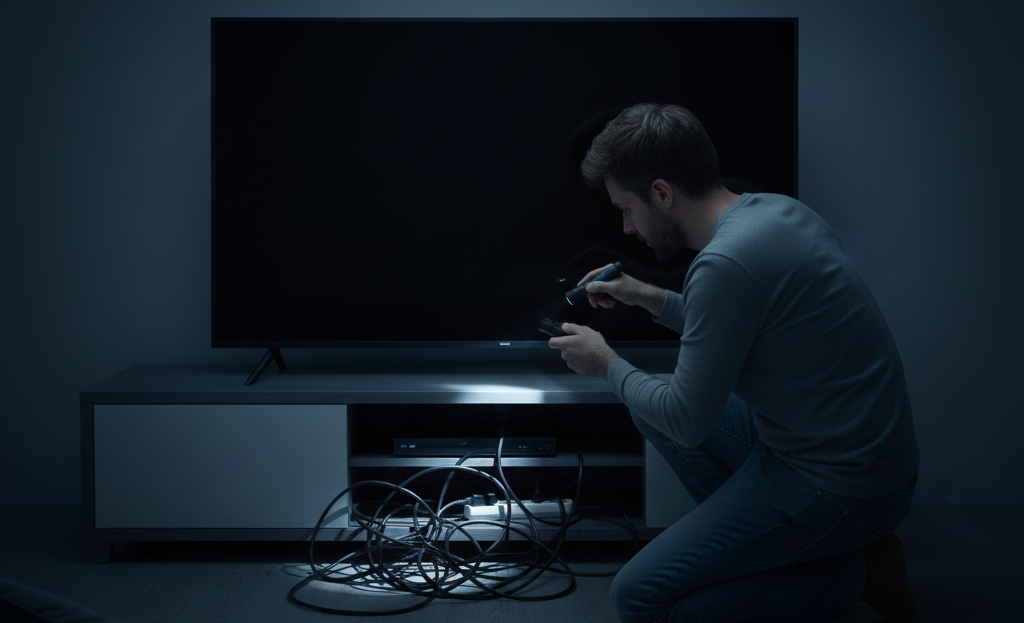
Troubleshooting Steps to Fix a Hisense TV That Turns ON Then OFF
Dealing with a Hisense TV that powers on and then immediately shuts off can be frustrating, but systematic troubleshooting often resolves the issue. Follow these steps carefully:
Check the Power Source
Ensure the wall outlet is stable and the power cord is firmly connected. Test with another device to confirm consistent electricity.
Inspect the Power Adapter
A faulty adapter can cause power cycling. If possible, try a replacement adapter compatible with your TV.
Disconnect External Devices
Unplug all HDMI, USB, and other peripherals. Sometimes external devices draw excess power or trigger conflicts.
Update the Firmware
Go to the TV’s settings menu and check for software updates. Outdated firmware can cause shutdown issues.
Perform a Soft Reset
Unplug the TV for 5–10 minutes, then plug it back in. This helps clear minor software glitches.
Check for Overheating
Ensure ventilation is clear and the TV is not overheating. Clean vents or move the TV to a cooler location.
Inspect Internal Connections
Loose internal cables or a damaged mainboard may require professional attention if basic steps fail.
How to Check Power Supply Issues in Your Hisense TV
Power supply problems are one of the most common reasons a Hisense TV turns on and then immediately shuts off. Checking this is simple and can often fix the issue quickly.
Inspect the Power Cord and Plug
Ensure the cord is firmly connected to both the TV and the wall outlet. Look for any visible damage or fraying.
Test the Wall Outlet
Plug another device into the same outlet to confirm it is delivering stable power.
Use a Different Power Adapter
If your model allows, try a compatible replacement adapter to rule out a faulty unit.
Check for Voltage Fluctuations
Unstable electricity can cause power cycling. Consider using a surge protector to maintain consistent voltage.
Disconnect External Devices
Sometimes HDMI or USB devices draw power improperly, so unplug all peripherals and test the TV alone.
Firmware and Software Updates: A Solution for Hisense TV Power Issues
Many Hisense TV power issues, including turning on and immediately shutting off, are often linked to outdated or corrupted firmware and software. Manufacturers regularly release updates to fix bugs, improve performance, and enhance stability. Installing the latest update can resolve glitches that cause automatic shutdowns or power cycling.
To update your TV, go to Settings > System > About > Check for Updates. Ensure the TV is connected to a stable internet connection during the process. If an update is available, follow the on-screen instructions to install it.
Even if no update appears, performing a software reset can help clear temporary glitches. Keeping your TV’s software current not only prevents power problems but also enhances overall performance and ensures smoother daily operation.
Hardware Components That Might Cause Your Hisense TV to Turn Off

Sometimes, a Hisense TV turning on and immediately shutting off is not about power or software—it can be caused by faulty hardware components. Understanding these parts helps identify the source of the issue.
Mainboard
The mainboard controls most of the TV’s functions. A failing mainboard can prevent stable operation, causing the TV to power cycle.
Power Supply Board
Even if the adapter and cord are fine, an internal power supply board malfunction can disrupt voltage, leading to shutdowns.
Internal Cables and Connections
Loose or damaged internal cables connecting the mainboard, power board, or display may interrupt the power flow.
Overheating Components
Defective capacitors, resistors, or other internal components can overheat quickly, triggering automatic shutdown to prevent damage.
Tips to Prevent Hisense TV from Turning On Then Off in the Future
● Keep Firmware Updated – Regularly check for software updates to fix bugs and maintain system stability.
● Use a Surge Protector – Protect the TV from voltage spikes or fluctuations that can damage internal components.
● Ensure Proper Ventilation – Keep vents clear to prevent overheating and maintain optimal performance.
● Check Power Connections – Make sure cords and plugs are secure and free from damage.
● Avoid Overloading HDMI or USB Ports – Connect only necessary devices to prevent power conflicts.
● Perform Occasional Soft Resets – Unplug the TV for a few minutes to clear minor software glitches.
● Monitor for Unusual Behavior – Early detection of glitches or flickering can prevent bigger issues.

When to Seek Professional Help for Your Hisense TV
Sometimes, a Hisense TV turning on and then immediately shutting off cannot be fixed with basic troubleshooting. If the TV continues to power cycle after checking the power supply, updating firmware, and disconnecting external devices, it may indicate a deeper hardware issue.
Problems with the mainboard, power board, or internal connections often require professional attention. Additionally, if the TV shows signs of overheating, unusual noises, or visible component damage, it is best to contact a certified technician. Seeking professional help ensures safe repairs and prevents further damage to the TV.
Last Words
A Hisense TV that turns on and immediately shuts off can be frustrating, but most issues are resolvable with careful troubleshooting. Power supply problems, software glitches, overheating, and hardware malfunctions are common causes.
By systematically checking power sources, updating firmware, disconnecting external devices, and performing resets, many users can restore their TV to normal function. Understanding the role of hardware components and knowing when to seek professional help ensures safe and effective solutions.
Following preventive tips like proper ventilation, surge protection, and regular updates can reduce future issues. With patience and attention to detail, users can enjoy consistent, trouble-free viewing and extend the life of their Hisense TV while avoiding unnecessary repairs or replacements.
FAQs
Common causes include power supply issues, software glitches, overheating, or faulty hardware components.
Yes, by checking power cords, updating firmware, disconnecting external devices, and performing soft resets.
If the TV continues power cycling after troubleshooting or shows signs of hardware damage, overheating, or unusual noises.